


AllSync Main Window
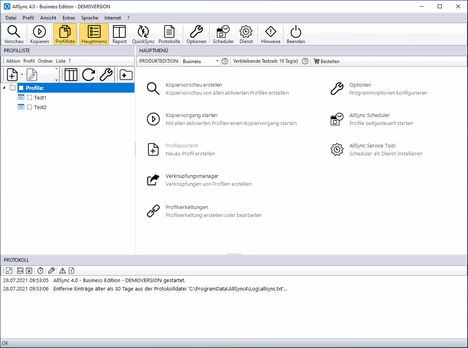
The main window of AllSync is divided into several sections:
- At the top, you’ll find the menu bar and the toolbar.
- On the left side, the profile list or the report legend is displayed.
- On the right side, the main menu, the progress indicator, the report, QuickSync, or the log manager is displayed.
- At the bottom, the log is displayed.
